Projects on mobile
Viewing Assigned Projects on the Home Screen
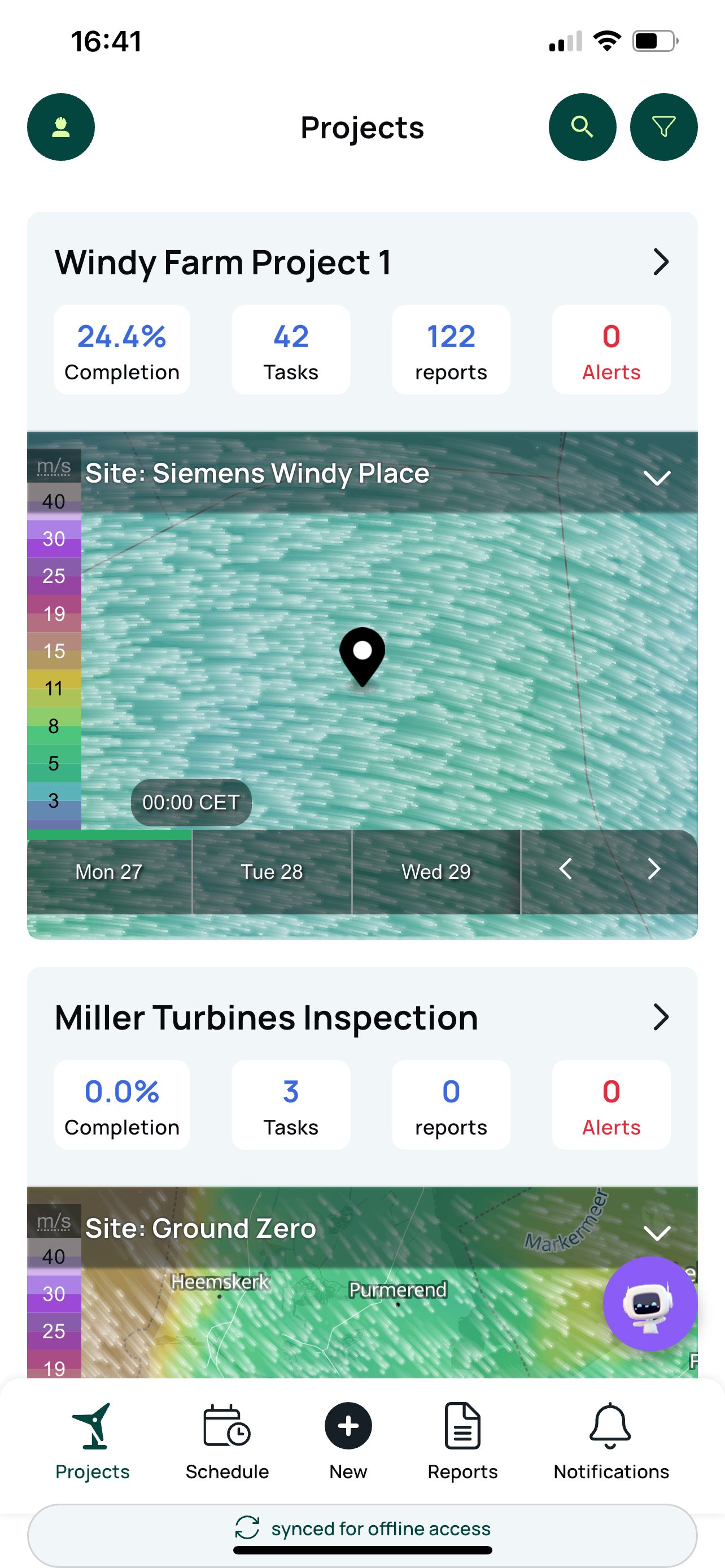
When a technician is assigned to a project through the Project Planner, the project automatically appears on their Home Screen. This ensures each user sees only the projects they are actively involved in.
The Home Screen displays the following information for every assigned project:
Project Name: the title defined in the Project Planner.
Task Progress: the technician’s total completion percentage across all assigned tasks.
Tasks: all active tasks still open within the Project Planner for the technician, on that project.
Reports: a history of reports submitted by the technician for the selected project.
Alerts: project-level alerts or notifications relevant to the user’s role.
Weather: current forecast and conditions at the project site location.
Each section provides quick, actionable insight so technicians can review project status, track personal progress, and access relevant data without navigating multiple views.
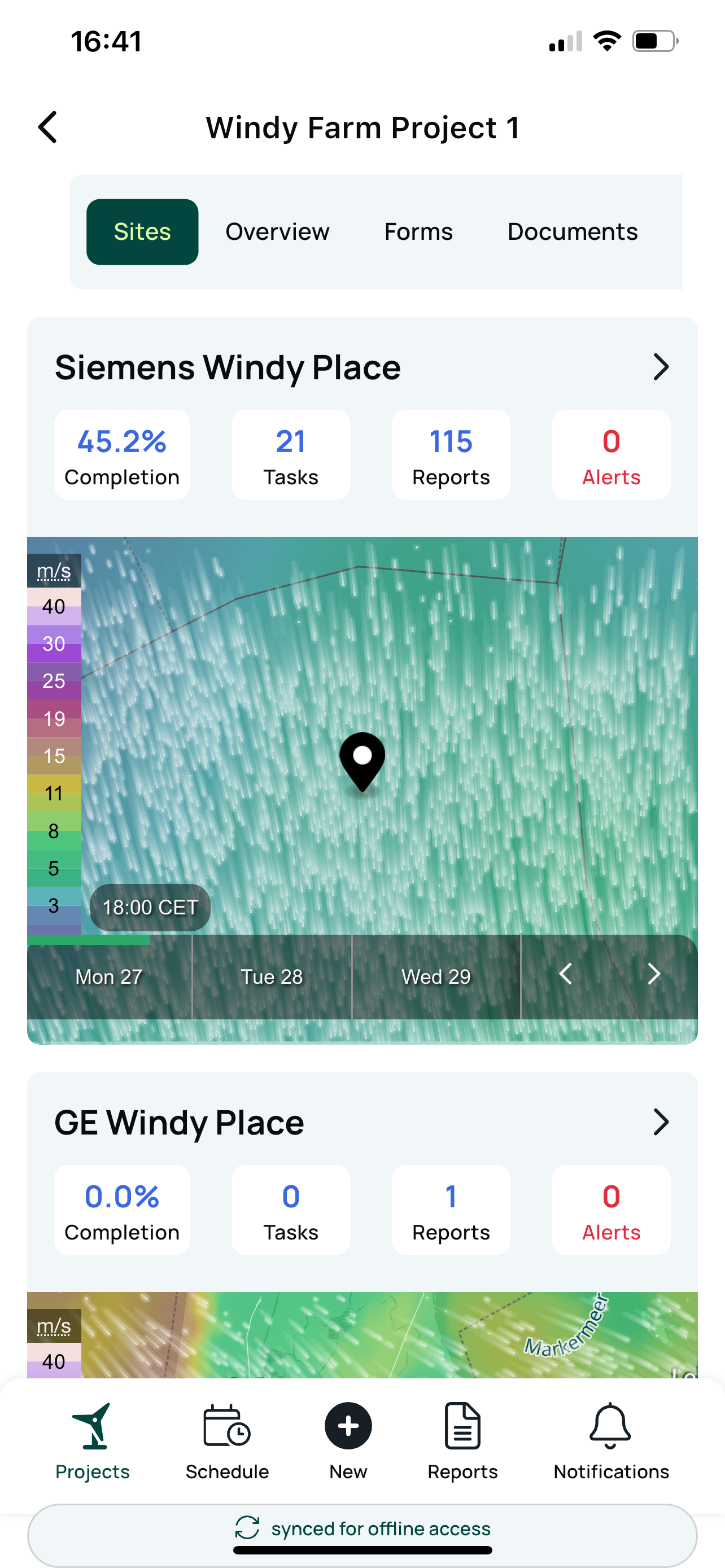
The Twindo mobile app’s Project screen provides a comprehensive overview of each project and acts as a hub connecting all project related information. Here’s how it works:
Project Screen Overview
Project Card: Tap any project card to open the project overview screen.
Top Menu: This contains quick access buttons for the main project elements:
Sites: Shows all site cards linked to the project. Selecting a site card reveals a menu with site specific options.
Overview: Displays general project details, the Lessons Learned knowledge base, and contact info for the project lead.
Forms: Lists all forms assigned to the project for technician use.
Documents: Contains project documents. For offline access, documents must first be opened once with an internet connection, the app stores these locally afterward. They remain available offline until the app is deleted.
This layout streamlines access to critical project data and documentation for field technicians, helping ensure that all relevant information is close at hand during field work.