Schedule on mobile
Using the Mobile Schedule for Technicians
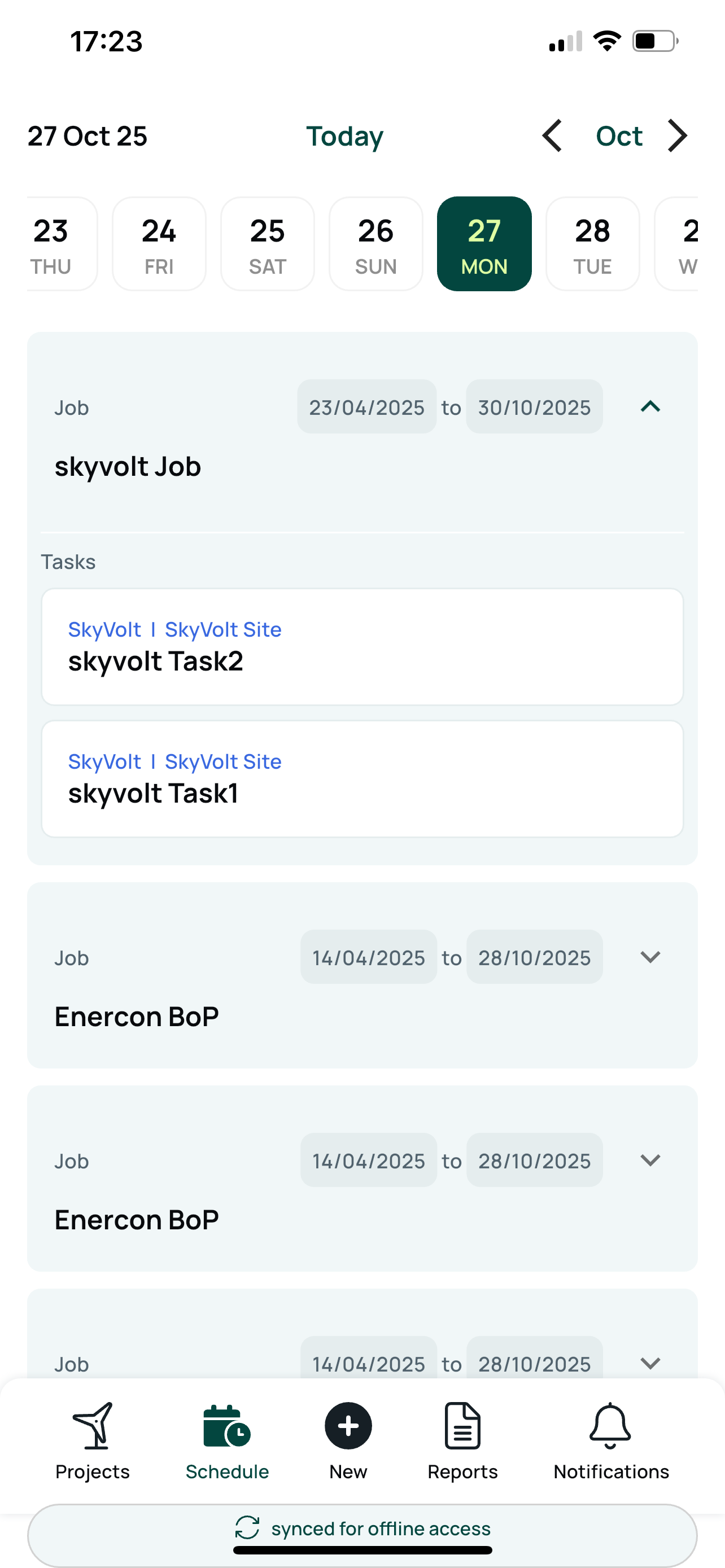
The Mobile Schedule helps technicians stay informed about their upcoming jobs and task stages.
Scroll through the dates using the top date row to find the relevant day.
Tap any job to view all associated task stages for that job.
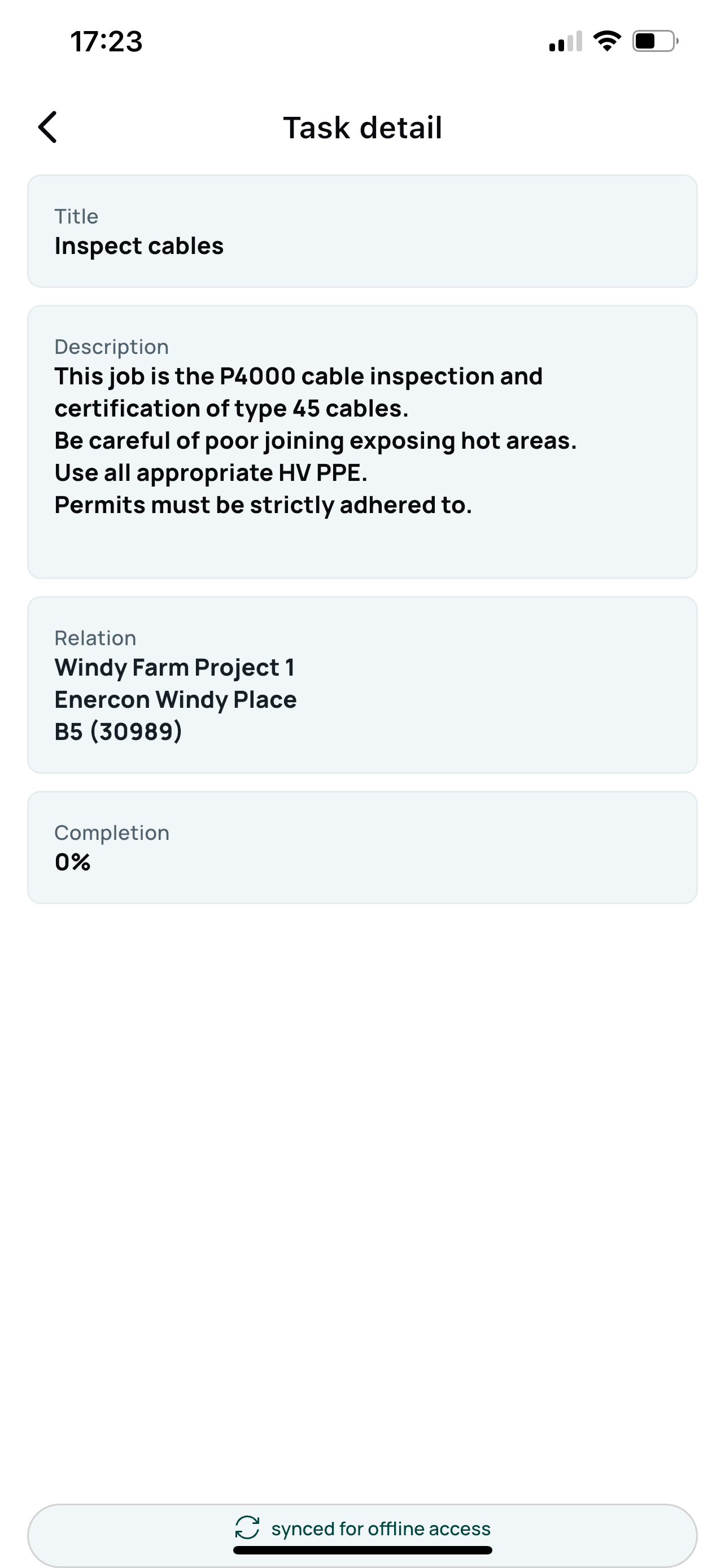
Tap a specific task stage to see detailed information including:
Task Title
Description
Location
Completion Percentage by this team or the previous rotation.
Note: The schedule interface is being redesigned. Stay tuned for new, advanced mobile scheduling features coming soon.
Task details